See how closely you played the score.
Connect a MIDI piano and play a compatible score. BetterMuse keeps matched and missed notes on the notation, measure by measure.
On another device?
Open on your iPhone or iPad
Scan with your device’s camera, or search for BetterMuse in the App Store.
Currently available for iPhone and iPad.
Want BetterMuse on another platform?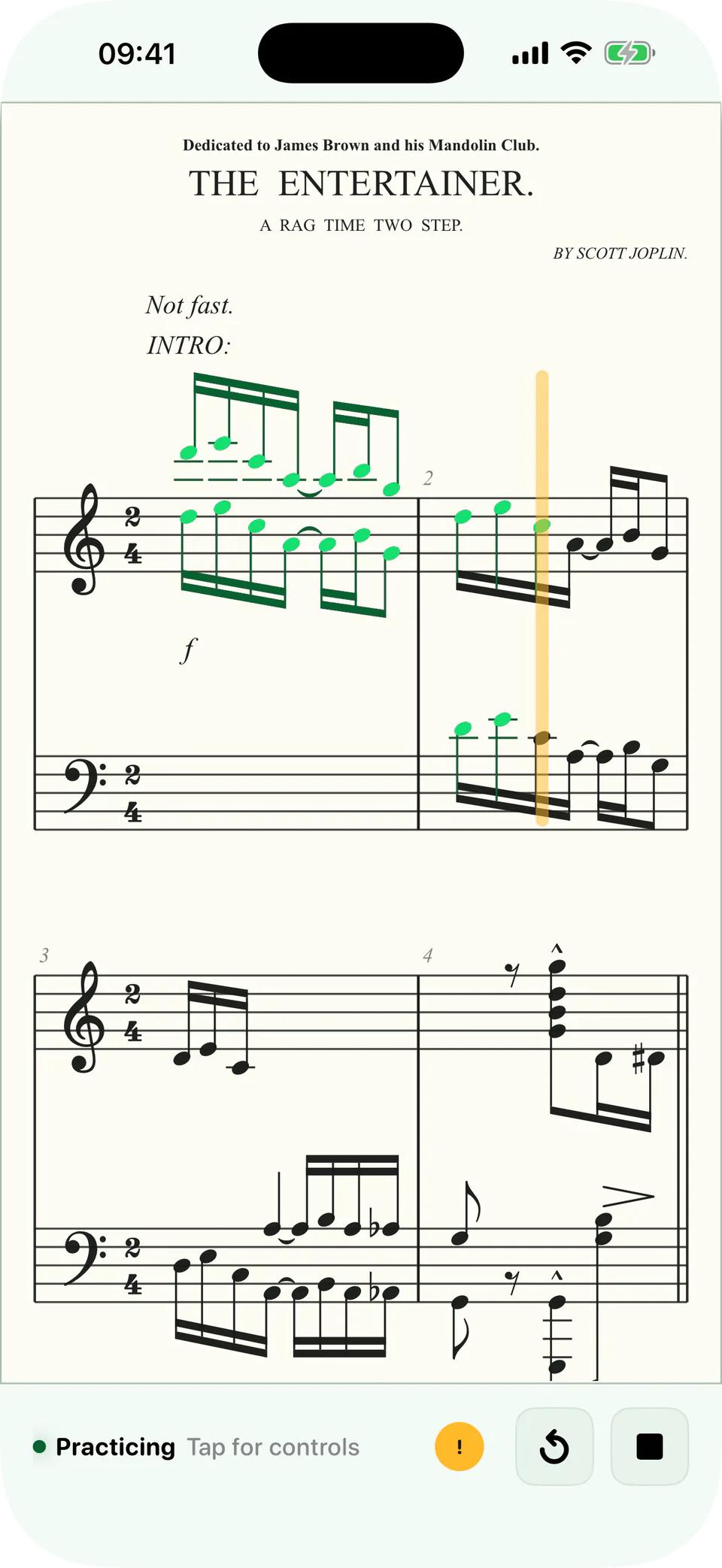
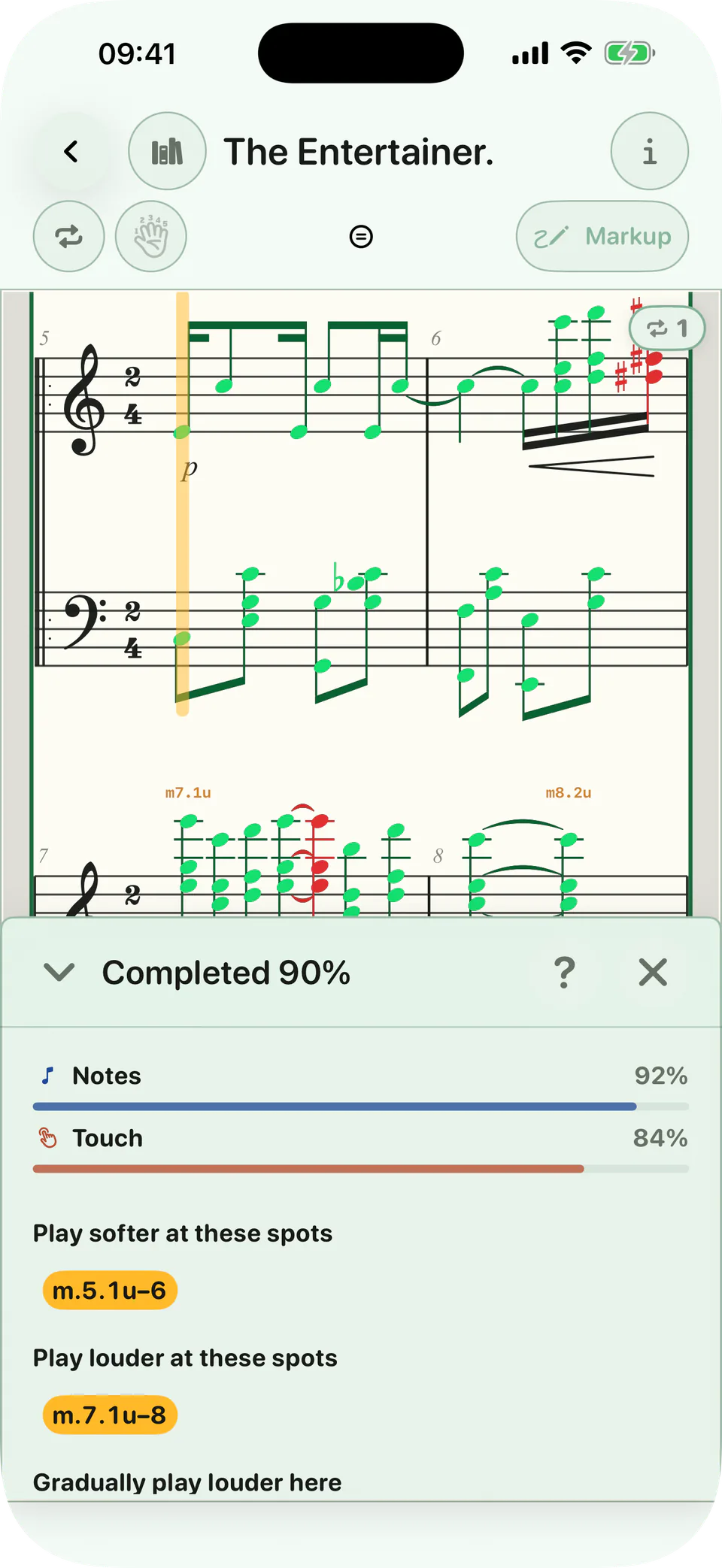
The score remembers the attempt.
BetterMuse places the result where the playing happened. Finish the run, then return to the measures that need another pass.
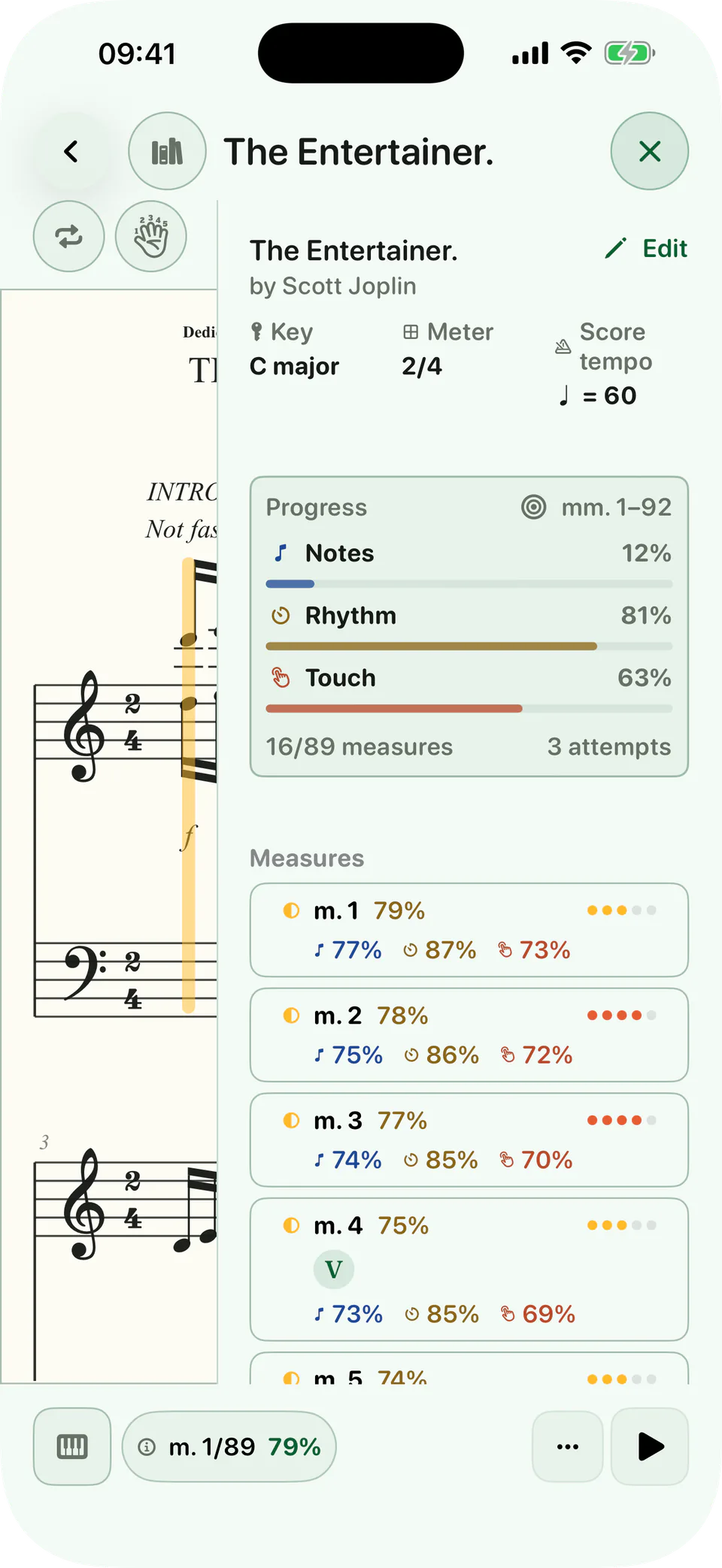
A result you can act on.
The completion report separates notes, rhythm, and touch when they can be measured. It points back to the places that need attention instead of burying the result in a practice log.
What MIDI can tell BetterMuse
Which pitches arrived
When each note began
How long each note was held
How strongly each key was struck
What it cannot see
MIDI does not reveal posture, tension, wrist movement, fingering, or acoustic tone production. BetterMuse can show what reached the score. It does not replace a teacher who can watch and listen to the pianist.
Before you connect
What can BetterMuse measure from MIDI?
On supported scores, BetterMuse can compare played pitches, attack timing, note duration, and key velocity with the written music when those signals are available.
Does MIDI feedback work with PDF scores?
No. PDF practice records time and completion, but a PDF does not contain the structured notation BetterMuse needs for note-level grading.
Does BetterMuse grade an acoustic piano through the microphone?
BetterMuse does not support microphone grading. External piano feedback requires a supported MIDI connection.
Does every score show every feedback category?
No. Grading depends on compatible notation and supported input. Rhythm and touch appear only when BetterMuse can measure them reliably.

Play, review, refine. All in a day's work!
On another device?
Open on your iPhone or iPad
Scan with your device’s camera, or search for BetterMuse in the App Store.
Currently available for iPhone and iPad.
Want BetterMuse on another platform?